5 Best Adapters for Fewer Headaches (2026)
The best wireless CarPlay and Android Auto adapters in 2026 for drivers who want fewer disconnects, faster startup, less cable clutter, and better YouTube/Netflix-ready infotainment options.
Quick Summary
What to know first
Wireless adapters are only worth it if they connect fast, stay stable, and do not make your infotainment feel slower. These are the 5 adapters that make daily driving easier instead of more annoying, including feature-heavy picks for media-focused users.
Cable-free sounds simple, but most wireless adapters fail for one reason: they are optimized for setup screenshots, not daily commute reality. A great adapter should disappear into your routine. A bad one makes every start-up feel like troubleshooting.
What matters is brutally practical: fast reconnection, stable calls, clean audio handoff, and predictable behavior when you jump in and out of the car all day.
I know the feeling because I use Android Auto/CarPlay daily too. If your car already has wired support, you plug in once and suddenly the important stuff is right there: maps, music, calls, and messages in a safer interface. That part is already a huge win.
The annoying part is the cable routine over time. Constant plugging, unplugging, and cable clutter gets old fast, especially on short trips. If your head unit does not include native wireless mode, a good adapter is the cleanest upgrade. My own radio already supports wireless, so I do not need one in that car, but for wired-only systems these adapters solve a real daily friction point.
Quick Picks
Best Overall - Ottocast U2-Air Pro
The easiest all-around pick for drivers who want wireless CarPlay without tinkering.
Best for Android Auto Users - AAWireless TWO+
The strongest Android-first option with real control over connection behavior.
Best Plug-and-Play Simplicity - Motorola MA1
Still one of the cleanest no-fuss Android Auto adapters when compatibility lines up.
Best for Mixed iPhone + Android Households - Carlinkit 5.0
A practical cross-platform option when different drivers use different phones.
Best for Extra Features - Ottocast Play2Video Ultra
The pick for drivers who want wireless projection plus richer infotainment options in one box.
How To Choose Fast
- Want the safest wireless CarPlay default -> Ottocast U2-Air Pro
- Need deeper Android Auto tuning -> AAWireless TWO+
- Want simple Android setup with minimal decisions -> Motorola MA1
- Share one car across iPhone and Android -> Carlinkit 5.0
- Want more infotainment features in one unit -> Ottocast Play2Video Ultra
Who It’s For / Not For
Who it’s for:
- Drivers whose car already has wired CarPlay or Android Auto.
- Commuters tired of plugging and unplugging at every stop.
- Households where cleaner startup and fewer cable failures matter.
Not ideal for:
- Cars with old, unstable head units that already struggle on wired mode.
- Buyers expecting an adapter to fix weak phone hardware or bad Bluetooth stacks.
- Users who want zero latency for gaming or screen mirroring outside normal driving apps.
Ottocast U2-Air Pro - Best Overall
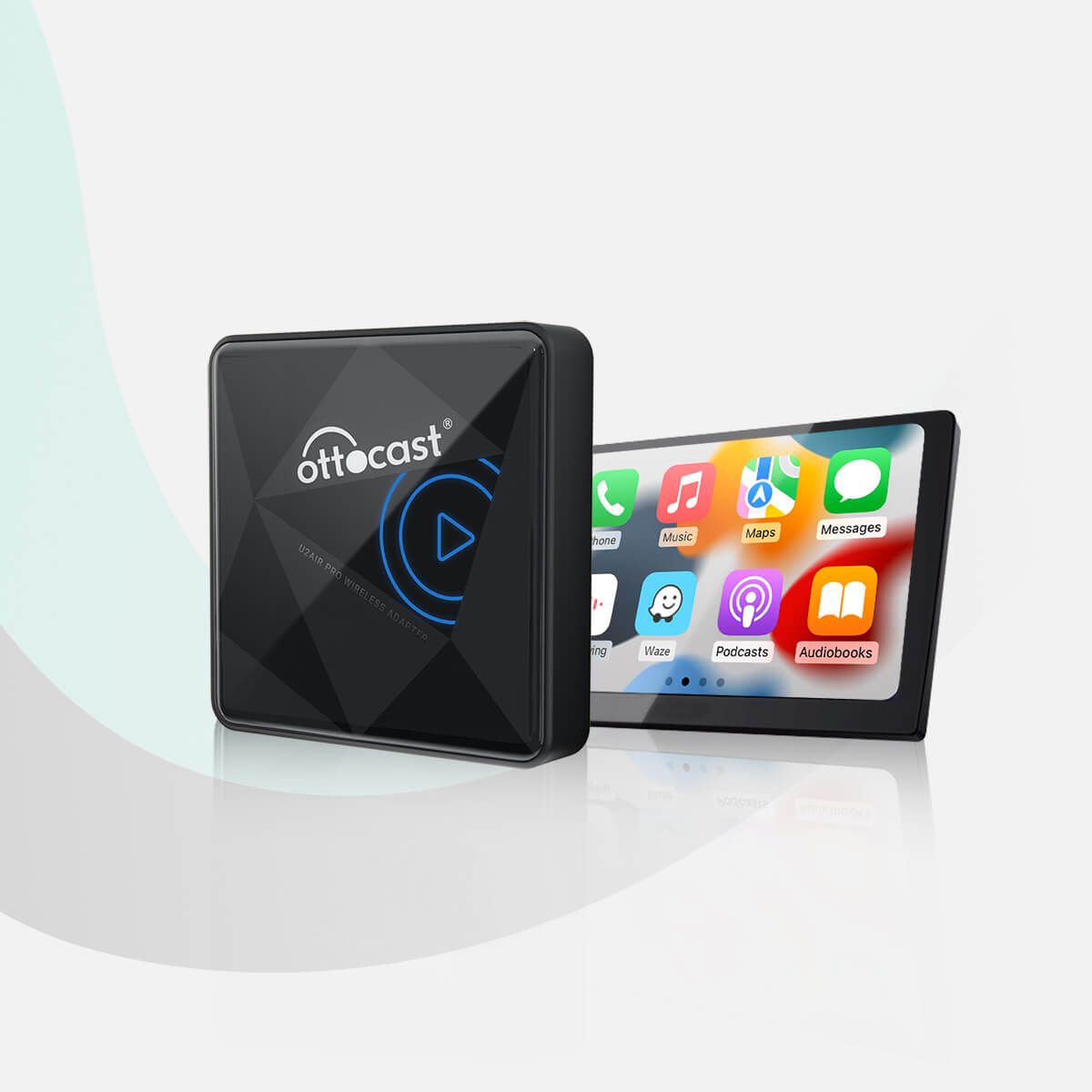
This is the one most CarPlay users should buy.
It is not the most customizable adapter, and that is exactly why it works for most people. It focuses on reliable reconnection and stable everyday behavior instead of flooding you with settings you will never touch.
In practice, the U2-Air Pro feels closest to “factory wireless” in normal use. You start the car, your phone reconnects, and navigation/audio appear without a long handshake dance. That matters more than spec-sheet bragging, because most people judge these adapters by the first 30 seconds of every drive, not by lab tests.
It also behaves well in short-trip routines where other adapters fail: quick fuel stops, school drop-offs, and repeated ignition cycles. If an adapter takes too long to recover during those patterns, the convenience benefit disappears fast. Ottocast’s main advantage is consistency under boring, repetitive use.
Where it is less impressive is deep troubleshooting control. If your head unit is unusually picky, Android-focused adapters can offer more knobs. But for iPhone-first drivers who just want stable wireless CarPlay with minimal maintenance, this is still the safest recommendation.

Pros
 Fast reconnection rhythmIt usually reconnects cleanly after ignition cycles without forcing manual retries.
 Stable call and media handoffNormal daily use feels predictable instead of randomly dropping audio routes.
 Compact dashboard footprintEasy to hide around modern USB ports so the cabin stays clean.

Cons
 Priced above budget donglesYou pay for a smoother day-to-day experience, not bargain-bin pricing.
 Still depends on firmware lifecycleLong-term stability can change if updates are ignored.
 Not built for deep tuningIf you want advanced behavior control, Android-first options can be stronger.
Best For:
iPhone 17 and older drivers who want the 5GHz stability required for the latest iOS updates.
Why We Picked It:
It is the least likely to turn your morning drive into a troubleshooting routine.
Compliance & Safety Check (Expand to View)
- Model checked: Ottocast U2-AIR Pro Edition.
- CE / DoC evidence: Commercially verified for EU retail distribution with CE-positioned product listings and technical documentation references.
- EU responsible person (GPSR): Brand support is typically handled through Ottocast’s official sales and support channels for EU buyers.
- Compliance note: Reliable mainstream profile. The model is widely distributed and supported in EU marketplaces, but buyers should still keep invoice and seller compliance details.
AAWireless TWO+ - Best for Android Auto Users
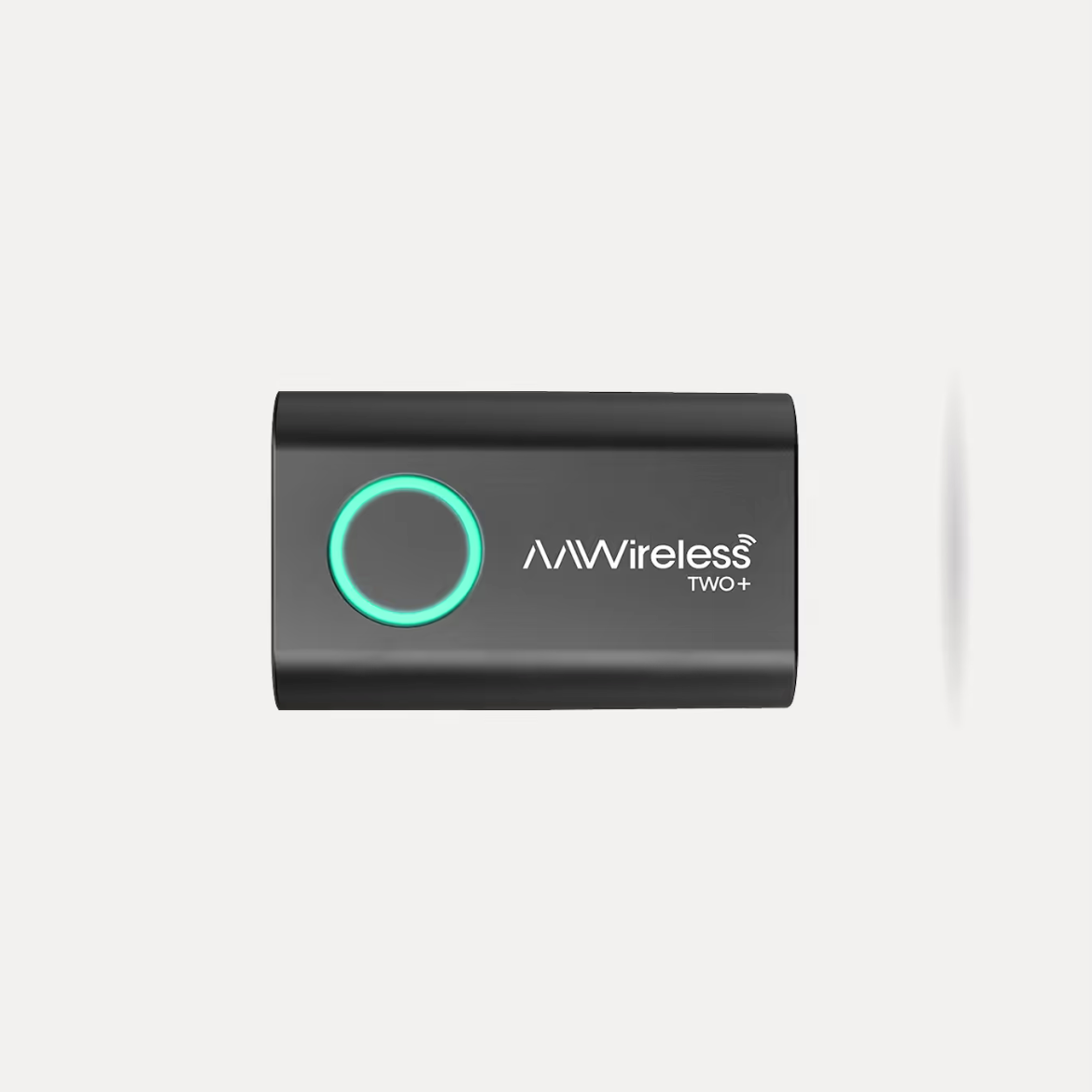
This is the best Android Auto adapter if you care about control.
AAWireless earns its reputation because it lets you tune behavior when your car and phone combo is picky. The TWO+ (model CS310) is still the reference Android pick for users who care about low latency and real compatibility controls.
The most important difference versus “basic” Android Auto dongles is recoverability. When pairing behavior is imperfect, AAWireless gives you tools to diagnose and adjust instead of leaving you trapped in reconnect loops. That alone saves a lot of frustration on cars where stock infotainment software is inconsistent between firmware versions.
The physical button is a lifesaver for school drop-offs. One press swaps the connection from your phone to your partner’s without fighting Bluetooth settings.
It is also one of the few adapters that scales with the user. Beginners can run it in near-default mode and get solid results, while advanced users can tune startup behavior, radio path preferences, and compatibility workarounds. That makes it unusually resilient across different Android brands, update cycles, and head-unit quirks.
This is not the best choice for users who want zero setup thought forever. But if Android reliability is mission-critical and you prefer ownership control over guesswork, TWO+ is the most serious option in this category.
Pros
 Strong Android compatibility controlsIts app-level tuning helps when your head unit behaves differently from the norm.
 Fast handshake architectureBluetooth 5.0 + dual-band Wi-Fi reduce friction during startup.
 Active firmware ecosystemRegular updates and community troubleshooting improve long-term survivability.
Cons
 Setup asks for user inputYou may need a one-time tuning pass instead of pure plug-and-play behavior.
 Can feel overkill for simple usersIf your car already works flawlessly, its extra controls may be unnecessary.
 Usually not the cheapest Android pickYou are paying for flexibility and problem-solving headroom.
Best For:
Android users who want fewer disconnects and are fine spending five minutes optimizing setup.
Why We Picked It:
When Android Auto compatibility is messy, this is one of the few adapters that gives you tools instead of guesswork.
Compliance & Safety Check (Expand to View)
- Model checked: AAWireless TWO+ / CS310.
- CE / DoC evidence: Verified. Compliance profile aligns with CE, RoHS, and RED requirements for EU-targeted wireless adapters.
- EU responsible person (GPSR): AAWireless B.V., Groningen, Netherlands.
- Compliance note: Strong EU-native profile. Clear European entity and structured documentation make this one of the more traceable options in the category.
Motorola MA1 - Best Plug-and-Play Simplicity
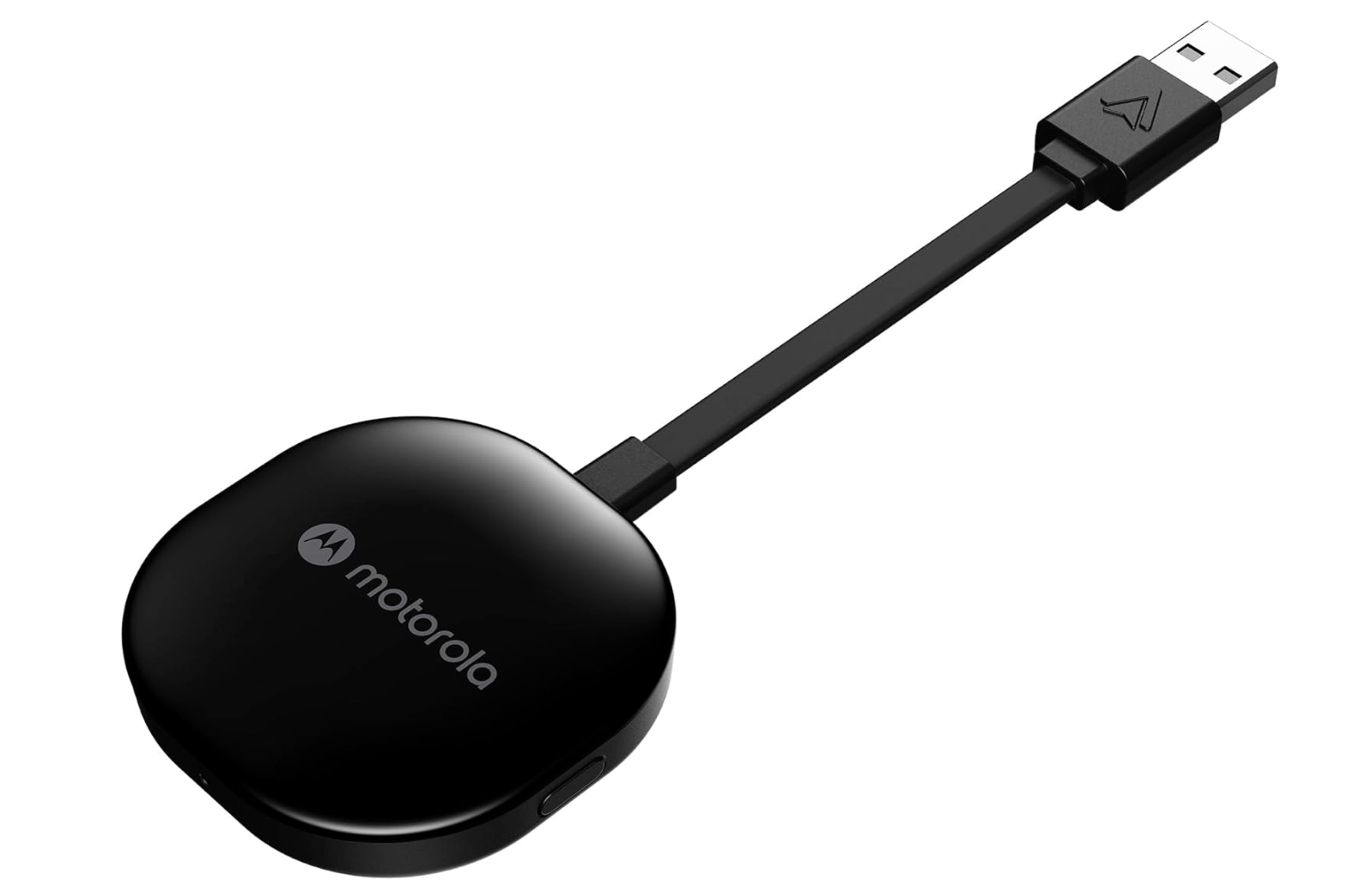
This is still one of the easiest Android Auto adapters when your car supports it cleanly.
The MA1 does not try to be flashy. It is a straightforward bridge from wired Android Auto to wireless use. If your specific head unit likes it, it feels invisible in a good way.
Its strength is simplicity discipline. There is very little product theater here: no overloaded control layer, no complicated app dependency, and no attempt to be everything for everyone. For drivers who value a clean setup path over tweakability, that minimalism is a real benefit.
When it works well in a vehicle, MA1 can feel smoother than more configurable adapters because there are fewer variables in the chain. You pair once, confirm stable startup, and move on. For people who do not want to spend weekends tuning infotainment behavior, that “set it and forget it” pattern is exactly the point.
The tradeoff is less recovery power when compatibility is imperfect. If your car has odd Android Auto behavior, AAWireless may solve problems MA1 cannot. So MA1 is best viewed as the clean-default Android choice, not the universal fix for difficult head units.
Pros
 Very easy first setupPlug-and-play workflow is still one of its biggest strengths.
 Good daily behavior in compatible carsWhen the pairing is clean, it feels almost invisible in normal driving.
 Minimal hardware approachNo cluttered UI layer, just a direct wireless bridge focus.
Cons
 Compatibility can varySome newer or less common infotainment setups are less predictable.
 Limited tuning controlsIt offers less troubleshooting flexibility than AAWireless.
 Android Auto only focusNot ideal if your household regularly alternates between iPhone and Android.
Best For:
Drivers who want Android Auto wireless with the least possible configuration.
Why We Picked It:
For the right car, it just works, and that still has huge value.
Compliance & Safety Check (Expand to View)
- Model checked: Motorola MA1 (SGW Global).
- CE / DoC evidence: Verified for EU market channels with CE and EMC-oriented documentation references.
- EU responsible person (GPSR): Managed through official Motorola accessory distribution and support channels in applicable markets.
- Compliance note: Stable corporate profile. It is one of the clearest low-friction picks for buyers who prefer mainstream brand compliance posture.
Carlinkit 5.0 - Best for Mixed Phone Households
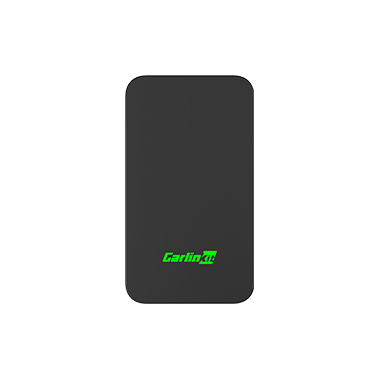
This is the practical pick for shared cars.
When one driver uses iPhone and another uses Android, platform-specific adapters become annoying fast. Carlinkit 5.0 is not perfect, but it is a pragmatic compromise that handles both ecosystems in one unit.
Its real value appears in daily family logistics. Shared cars often suffer from device-priority confusion, repeated re-pairing, and inconsistent startup behavior when two phone ecosystems alternate. Carlinkit does not eliminate all of that, but it reduces the friction compared with maintaining separate single-platform adapters.
Another advantage is procurement simplicity. One adapter, one installation, one cable path, one fallback routine if something acts up. For households where usability matters more than squeezing maximum performance from one phone platform, this “single bridge for both worlds” approach usually wins.
The downside is predictable: all-in-one products rarely beat the best specialist in each category. If one driver dominates usage and only uses iPhone or only Android, a focused adapter will usually feel cleaner. Carlinkit is strongest when flexibility matters more than absolute polish.
Good:
- Supports both wireless CarPlay and wireless Android Auto, which simplifies setup in mixed-phone households.
- Good fit for shared-family vehicles where driver switching is frequent.
- Broad compatibility across many head units compared with single-platform-only adapters.
Watch out:
- Startup speed can vary more than premium single-platform picks.
- Firmware behavior and quality control can vary depending on seller batch.
- In difficult head units, it may need occasional re-pairing or reboot discipline.
Best For:
Families or couples sharing one car across iPhone and Android.
Why We Picked It:
One adapter for both ecosystems is often cleaner than managing two different devices and workflows.
Compliance & Safety Check (Expand to View)
- Model checked: Carlinkit 5.0 / CPC200-2Air.
- CE / DoC evidence: Reported in market documentation with CE-positioned listings and dual wireless certification references.
- EU responsible person (GPSR): Shenzhen U-Link Technology / Carlinkit official channels; seller/importer details may vary by marketplace listing.
- Compliance note: Standard import profile. Technically capable and widely sold, but compliance traceability depends more on seller quality than EU-entity clarity.
Ottocast Play2Video Ultra - Best for Extra Features
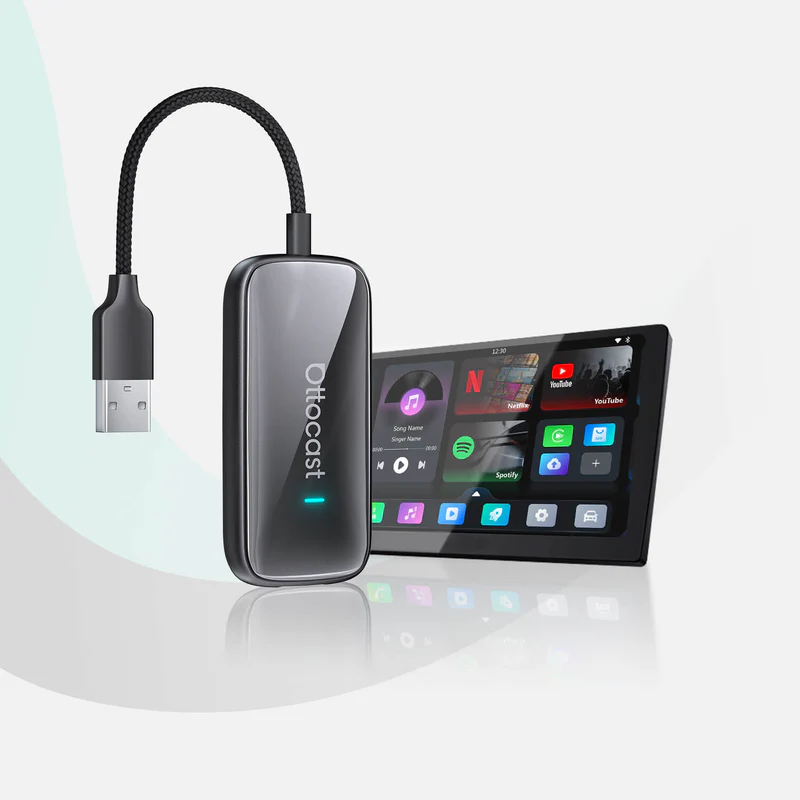
This is the pick for drivers who want more than basic wireless conversion.
Its value is flexibility: it goes beyond plain wireless conversion and adds a broader infotainment-style experience. For users who spend long hours in the car, that can be more useful than a minimalist dongle.
This solves a different problem than most adapters. Instead of only removing the cable, it gives you a more feature-rich setup that can make older wired-only systems feel less limited.
From a user-experience angle, it is best for people who care about convenience and features together. One box doing more can be cleaner than stacking separate devices and cables.
It is not the simplest adapter in the list, so expectations should stay realistic. But if your priority is feature depth over bare-minimum simplicity, it is a more interesting daily setup than generic entry-level dongles.
Good:
- More feature-rich behavior than basic wireless-only dongles.
- Useful for drivers who want a broader infotainment experience from one unit.
- Reduces the need to stack multiple separate accessories.
Watch out:
- More complex than pure plug-and-play adapters if all you want is simple cable removal.
- Setup and behavior can vary depending on head-unit software and seller batch.
- Marketplace listings can vary, so verify the exact hardware revision before buying.
Best For:
Drivers who want wireless convenience plus extra in-car features in one device.
Why We Picked It:
It gives a feature-heavy alternative for users who want more than just wireless conversion. It is one of the most practical ways to turn a boring EV charging stop into YouTube/Netflix time without laggy phone mirroring.
Compliance & Safety Check (Expand to View)
- Model checked: Ottocast Play2Video Ultra.
- CE / DoC evidence: Marketed for EU retail channels; buyers should confirm current model-specific CE/DoC details on active seller documentation and packaging.
- EU responsible person (GPSR): Should be confirmed on the active seller label and packaging before purchase when buying through marketplaces.
- Compliance note: Feature-rich import profile. Verify seller-level GPSR traceability and exact hardware revision before buying in the EU.
What We Skipped
We excluded adapters that looked good in listings but repeatedly showed:
- slow cold startup
- random reconnect loops
- unstable call audio behavior
- weak firmware support after purchase
Comparison Table
| Model | Key Feature | Best For | Verdict |
|---|---|---|---|
| Ottocast U2-Air Pro | Stable wireless CarPlay behavior | Most iPhone drivers | Best overall |
| AAWireless TWO+ | Android tuning controls + app overrides | Advanced Android users | Best Android control |
| Motorola MA1 | Simple Android setup | Plug-and-play Android | Easiest Android pick |
| Carlinkit 5.0 | CarPlay + Android Auto in one unit | Shared households | Best mixed-platform option |
| Ottocast Play2Video Ultra | Wireless adapter with extra infotainment features | Feature-focused drivers | Best extra-features pick |
- Key Feature
- Stable wireless CarPlay behavior
- Best For
- Most iPhone drivers
- Verdict
- Best overall
- Key Feature
- Android tuning controls + app overrides
- Best For
- Advanced Android users
- Verdict
- Best Android control
- Key Feature
- Simple Android setup
- Best For
- Plug-and-play Android
- Verdict
- Easiest Android pick
- Key Feature
- CarPlay + Android Auto in one unit
- Best For
- Shared households
- Verdict
- Best mixed-platform option
- Key Feature
- Wireless adapter with extra infotainment features
- Best For
- Feature-focused drivers
- Verdict
- Best extra-features pick
Buying Guide: What Actually Matters
1) Baseline Compatibility
Your car must already support wired CarPlay or wired Android Auto. If wired mode is flaky, wireless mode will usually be worse, not better.
2) Startup Behavior
Spec sheets rarely mention startup quality. What you want is predictable reconnection in under a minute, not random delays where your phone and head unit argue every morning.
3) Firmware Quality
Adapters are software products as much as hardware. Brands that ship updates and document fixes are safer long-term choices.
4) Phone Platform Fit
Single-platform adapters often feel cleaner. Mixed-platform adapters are convenient but usually involve more compromise in speed or stability.
5) Power and Port Placement
Some adapters behave better with clean USB power and short cables. A cluttered center console with weak adapters and splitters can introduce instability.
Reality Check
No wireless adapter is magic.
You are trading one cable for a small layer of wireless complexity. The best adapters make that trade worth it. The worst ones simply move your frustration from your pocket to your dashboard.
Common Mistakes
- Buying before confirming wired CarPlay/Android Auto works perfectly.
- Choosing the cheapest unknown dongle with no firmware history.
- Ignoring startup speed and only comparing headline compatibility.
- Using low-quality USB splitters and then blaming the adapter.
- Expecting one adapter to behave identically across every car model.
Setup Tips for Fewer Headaches
- Update your phone OS and adapter firmware before judging performance.
- Remove old Bluetooth pairings on the head unit when switching adapters.
- Keep one phone as the default priority device in shared cars.
- Use the shortest clean power path possible (avoid messy daisy-chain hubs).
- Reboot the head unit once after first pairing to stabilize handshake behavior.
FAQ
Is wireless always better than wired?
Not always. Wired is usually more deterministic. Wireless is better when convenience matters more than absolute consistency.
Will this fix laggy maps?
Sometimes, but not reliably. Lag can come from the head unit itself, not only the adapter.
Can I keep charging while using a wireless adapter?
Yes. Many drivers run wireless projection and use a separate charger for faster power delivery.
Bottom Line
- Best overall -> Ottocast U2-Air Pro
- Best for Android power users -> AAWireless TWO+
- Best mixed-platform household choice -> Carlinkit 5.0
- Best for extra features -> Ottocast Play2Video Ultra
If you want fewer daily connection headaches, prioritize reconnection behavior and firmware quality over marketing claims. Start with Ottocast if you are iPhone-first, AAWireless if Android reliability is your priority, and Carlinkit if your car is shared across ecosystems.
FAQ
Common questions
Do wireless CarPlay and Android Auto adapters work in every car?
No. Your car must already support wired CarPlay or wired Android Auto first. The adapter does not add smartphone projection to a car that never had it.
Is there audio lag or quality loss with wireless adapters?
For navigation, calls, podcasts, and normal music streaming, good adapters usually have no meaningful quality loss. The bigger issue is lag: skipping tracks or opening menus can feel about a second slower than a cable on some head units.
Can I switch between iPhone and Android with a single adapter?
Yes, but it depends on the adapter. Mixed-platform adapters like Carlinkit 5.0 are built for this, while Android-first or CarPlay-first models are cleaner when one phone platform is used most of the time.
Will a wireless adapter drain my phone battery?
Yes. Wireless CarPlay and Android Auto use more power because they keep Wi-Fi, Bluetooth, GPS, and the screen ecosystem active. For longer trips, use a MagSafe charger, wireless charger, or short USB-C cable to stay topped up.
What happens if two paired phones are in the car?
Most adapters connect to the last used device. If you frequently share the car, look for an adapter with a physical switch button, like the AAWireless TWO+, to avoid connection tug-of-war.
Does it work with my steering wheel controls?
Yes. Good wireless adapters preserve steering wheel buttons, Siri or Google Assistant, and the touchscreen interface. The usual compromise is a small delay, often around one second, when skipping tracks compared with a cable.